A pale gray background can tell you more about an editing monitor than a spectacular landscape. Move a portrait around the screen and watch that background. If it warms up at one edge or darkens at another, deciding whether the photograph needs a correction becomes harder. Then comes the second question: will you trust the same screen next month?
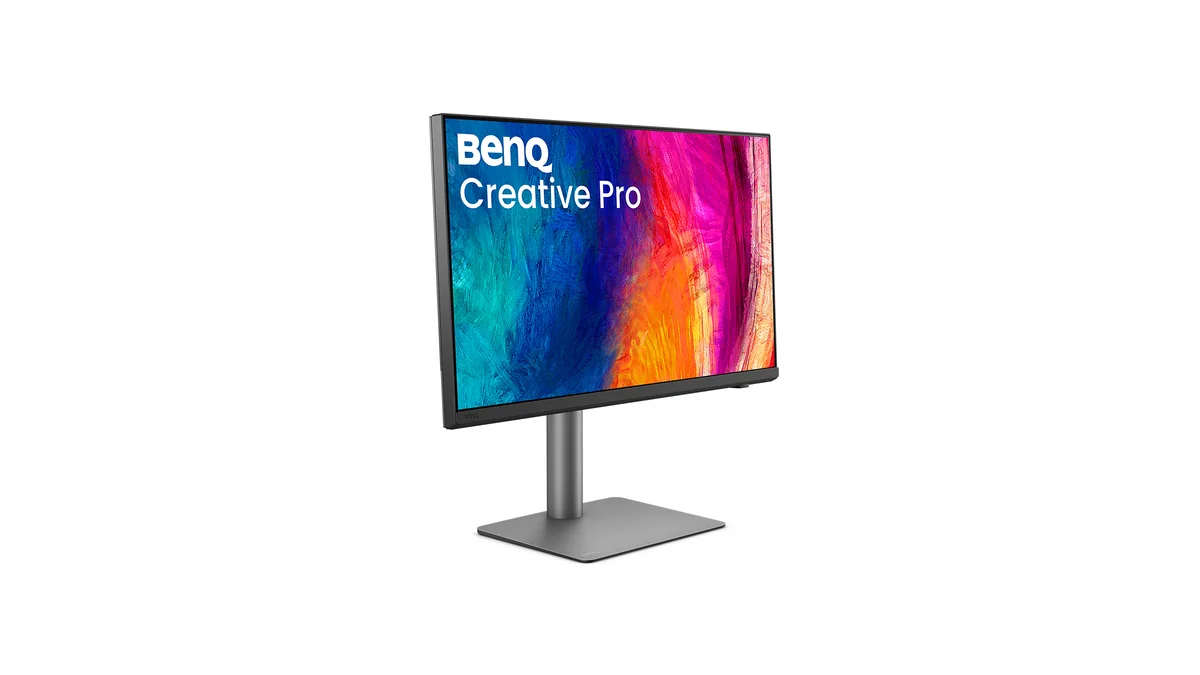
That is the useful way into a comparison between the BenQ PD2732U and Eizo ColorEdge CG2700X. Both offer a 27-inch 4K canvas and wide color coverage. BenQ puts that combination within reach of a modest editing setup. Eizo adds a built-in calibration sensor and a more elaborate system for maintaining a predictable display. The choice depends less on how impressive a photograph looks in a showroom than on the work you need to deliver repeatedly.
This is a comparison of published firsthand reviews and manufacturer documentation. Newsroom has not tested the two monitors together. The fresh starting point is Darren J. Spoonley’s October 17 Fstoppers review of the BenQ , read alongside Illya Ovchar’s August 30 Fstoppers review of the Eizo . Their experiences help explain the two approaches. They do not establish a controlled head-to-head result.
The short choice: accessible color or easier consistency
For a photographer delivering mainly web galleries, occasional prints and personal projects, the BenQ is the stronger starting proposition on cost. It leaves more of a finite budget for a compatible measuring instrument, sensible room lighting and print tests. Its attraction is practical: plenty of editing detail, broad color coverage and a convenient laptop connection.
The Eizo becomes easier to justify when repeatability carries a real cost. A retoucher handling repeat commercial work, a photographer preparing regular print editions or a small studio maintaining several editing stations may value a display that makes routine calibration easier to sustain. That is a workflow judgment, not evidence that every photograph will look better on the more expensive screen.
There is a substantial price gap. BenQ’s July launch announcement set a US price of $699.99. At the October 20 price check, B&H listed the Eizo at $3,394 . That establishes the scale of the gap, although these are differently dated prices. The BenQ launch price is historical, not a current offer. Use the product and retailer links below to compare today’s delivered prices and support terms. A bargain loses its appeal if it is the wrong model or arrives without the warranty you expected.
What the specifications actually separate
BenQ positions the PD2732U Creative Pro across creative work. Eizo’s official site presents the ColorEdge CG2700X as a color-management display. The distinction becomes clearer when the shared panel basics are separated from calibration and connectivity.
| Feature | BenQ PD2732U | Eizo ColorEdge CG2700X |
|---|---|---|
| Panel and resolution | 27-inch IPS, 3840 × 2160 | 27-inch IPS, 3840 × 2160 |
| Refresh rate | 60 Hz | 60 Hz |
| Stated gamut coverage | 99% Adobe RGB, 99% P3 | 99% Adobe RGB, 98% DCI-P3 |
| Stated brightness | 400 cd/m², with important mode limits in reviews | 500 cd/m² typical |
| Stated contrast | 1000:1 | 1450:1 typical, with Eizo’s DUE setting qualification |
| Calibration approach | Model-specific software calibration, external instrument | Hardware calibration with built-in sensor |
| Main laptop connection | Thunderbolt 4, up to 90 W charging | USB-C with DisplayPort Alt Mode, up to 94 W charging |
| Distinct desk features | Thunderbolt output, KVM, wireless Hotkey Puck G3 | Gigabit Ethernet, KVM, supplied hood, automated recalibration |
These are manufacturer specifications, not measurements from a shared test. BenQ’s official specifications and Eizo’s technical data are the relevant model-level references. A one-point P3 difference is a poor reason to decide between them. Neither a gamut percentage nor a factory accuracy number tells you how even your particular panel will be, which mode it was measured in or how it will behave after months of use.
Both screens also provide the same number of pixels. At this size, that gives useful room to inspect edges and fine detail, but it does not automatically make interface text comfortable. Try your intended scaling setting with your editing application. Someone who wants physically larger previews and controls may still prefer a larger display, regardless of the calibration system.
Calibration is the important difference
The most consequential detail in the BenQ coverage is easy to miss. BenQ’s current AQCOLOR Pilot compatibility table places the PD2732U under Basic Color Calibration, explicitly described as software calibration. It does not put this model in the advanced hardware-calibration group. A review’s broad reference to hardware calibration should not override that model-specific distinction.
The word hardware can cause confusion because a physical measuring instrument may be involved in either process. BenQ’s calibration explanation distinguishes correction through the graphics output from correction of the monitor’s internal look-up table. Buying an external colorimeter does not, by itself, turn the PD2732U into an internally calibrated monitor.
Eizo’s ColorNavigator 7 documentation describes calibration information stored in the display and scheduled recalibration. The CG2700X’s integrated sensor removes the need to attach a separate instrument for its routine self-calibration. Eizo also provides correlation with external sensors for studios working to a common measurement reference. Software and operating-system compatibility still deserve a check before purchase.
That difference matters most over time. If you already measure your monitor regularly and understand profiles, the BenQ’s approach may fit comfortably into your routine. If calibration is the job you keep putting off, the Eizo removes some of the friction. Its price buys convenience and control around a task you still need to configure intelligently. Do not perform color-critical corrections while recalibration is changing the display.
There is also a BenQ software detail to resolve before committing. Spoonley describes encountering a 30-day software trial during his evaluation. BenQ now presents AQCOLOR Pilot, formerly Palette Master Ultimate , as a free download with functions that vary by model. The cause of that trial experience remains unknown from the available evidence. Check the current PD2732U-specific instrument list, supported operating system and included functions. Do not assume that a download page guarantees every calibration feature on every display.
What the reviews tell photographers
Spoonley’s BenQ review is useful because it includes setup friction. His initial Mac comparison did not match, and software settings and manual adjustments helped him reach a result he trusted. BenQ invited him to evaluate the monitor. His account supports allowing time for setup, rather than expecting two different screens to agree immediately. It does not prove that every PD2732U has the same mismatch.
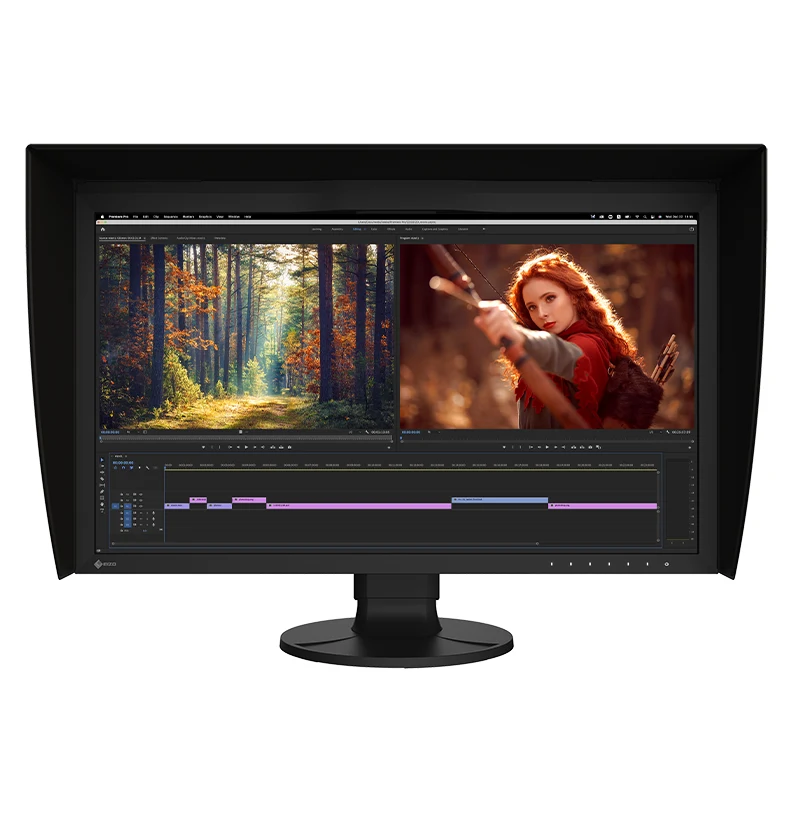
Ovchar’s Eizo review emphasizes an even-looking panel, controlled skin tones, neutral areas and smooth gradients. He particularly values the folding calibration sensor and detachable magnetic hood. Those are firsthand impressions from his unit and working conditions. They support the case for a less troublesome editing environment, but they do not quantify an accuracy advantage over the BenQ. His reservations include price, a single USB-C port and 60 Hz operation.
Additional BenQ reviews add useful detail. Nikita Achanta at Tom's Guide reports a Delta E of 0.11 on her tested unit. That is encouraging within her test. It cannot rank this monitor against the Eizo without matching the instrument, patches, display mode, calibration state and calculation method.
Ian Evenden at Creative Bloq found that gamut results depended on the selected mode. His Display P3 test returned 87% Adobe RGB coverage, while selecting Adobe RGB brought that figure to 99%. That is a useful reminder to choose a mode for the work, rather than assume the entire advertised gamut is active under every preset.
Jeremy Laird at TechRadar finds a strong creative SDR proposition but also discusses brightness limits and the absence of local dimming. His hardware-calibration description conflicts with BenQ’s current software compatibility table. That point remains a disagreement in the coverage, with the manufacturer’s explicit PD2732U listing the safer basis for a purchase decision.
Tom's Guide, Creative Bloq and TechRadar share Future ownership and use commerce links. They provide separately authored reviews, not three unrelated publishing organizations. Read their measurements for the conditions they describe, alongside the photographer-focused Fstoppers accounts.
Brightness, uniformity and HDR need separate judgments
BenQ’s headline 400-nit specification needs context. Achanta measured 182.6 nits in SDR and 184 nits in a 10% HDR window. Evenden reports roughly 200 nits in SDR and says HDR mode unlocks the extra brightness. Laird also distinguishes constrained SDR brightness from the brighter HDR mode. The differing HDR results cannot be reconciled from the published methods available here.
For buying purposes, do not budget on having 400 nits in your preferred photo-editing configuration. Ask which mode supplies the brightness you need, then check color behavior in that same mode. A screen that is comfortable in a controlled room may be frustrating beside a bright window. Conversely, turning a display up to its maximum is not a sensible substitute for matching an editing setup to print-viewing conditions.
Eizo specifies higher brightness and contrast and describes its Digital Uniformity Equalizer as a system for compensating for uneven display characteristics. That is relevant to the gray-background exercise at the beginning. It is still worth checking the actual unit across the screen. A built-in sensor handles routine calibration, while panel uniformity concerns how consistent the image is from place to place. They are related aspects of trust, not interchangeable guarantees.
The Eizo offers PQ and HLG presets, while the BenQ’s reviews discuss its HDR mode. Those labels alone should not decide a specialist HDR purchase. Transfer-curve support, peak brightness, black level and local dimming answer different questions. For someone chiefly editing SDR photographs, consistent tone, appropriate brightness and a sound profile are more useful selection criteria than a dramatic HDR demonstration.
Printing and web delivery ask different questions
Wide Adobe RGB coverage can help when working with colors that a suitable print process can reproduce beyond sRGB. It does not mean that a printer uses the monitor’s gamut or that choosing the Adobe RGB preset guarantees a print match. The actual output process still matters.
Adobe’s printing guidance explains why the profile should describe the printer, ink and paper combination. Use the output profile supplied for your process, inspect a soft proof where appropriate and judge a test print under suitable light. The broad idea of color management is translation between devices, not making every device display the same range of colors.
For a predominantly web workflow, inspect the intended export as well as the wide-gamut working file. A saturated image that looks appealing in the editor may behave differently when exported with another profile or viewed through an unmanaged path. Neither monitor can control the brightness, settings and software used by every person receiving your gallery.
This is where the Eizo’s automation can earn its place in a print-heavy workflow. It helps make a defined display state easier to maintain while you work through output differences. The BenQ can still be a useful tool for the same reasoning. Its owner takes on more of the measurement routine, and should confirm the available calibration path before buying.
Connections and desk use favor different setups
BenQ’s Thunderbolt 4 input supplies up to 90 W, and its separate Thunderbolt output is rated at 15 W. It also provides HDMI, DisplayPort, USB peripherals and KVM functionality. The data-only USB-C upstream connection should not be confused with another video input. Its wireless Hotkey Puck G3 offers a convenient way to reach display controls without repeatedly reaching for the monitor.
Eizo’s USB-C connection carries video, USB data and up to 94 W of charging. Gigabit Ethernet and KVM are built in, with HDMI, DisplayPort and USB connections covering a conventional editing desk. USB-C describes the connector here. It does not make the CG2700X a Thunderbolt 4 display or give it BenQ’s advertised Thunderbolt output capability.
The four-watt difference in charging is unlikely to be the decisive issue. Compare each monitor’s delivery with the requirements of your own laptop under sustained editing load. A cable that charges a machine during light work may not keep its battery steady during a demanding export.
Both stands adjust for seated work and portrait orientation. Eizo’s supplied hood is useful when controlling stray light, while BenQ’s connection switching and puck may suit a mixed editing and everyday desk. Consider which convenience you will use each day. Neither screen’s 60 Hz refresh rate is a specialist high-refresh gaming feature.
A useful check before the return window closes
Use familiar photographs, rather than relying only on the manufacturer’s demo. Choose a portrait with delicate skin transitions, a neutral scene with broad gray areas, saturated foliage and a high-contrast landscape. Include a file that you have already printed successfully if print matching matters to you.
First set the room, display mode, brightness target and application profile deliberately. Then move the neutral scene around the screen. Look for changes that could lead you to edit the file differently depending on its position. Inspect the portrait for subtle color transitions and the landscape for separation near black and white. These checks reveal practical problems, but they do not replace instrument measurements.
Our guide to preserving sky detail while controlling contrast provides a useful editing exercise. Try the same cloud, foreground and horizon decisions on the new screen. The point is whether you can make those decisions consistently, not whether the monitor makes the image look more exciting.
On the BenQ, confirm that your chosen instrument and software can complete the intended calibration and profiling routine. On the Eizo, configure a target, schedule the built-in process and check that you understand its results. For either model, test your actual laptop cable, charging, sleep and wake behavior, peripherals and preferred scaling before the return period ends.
Official information and verified Amazon links
For manufacturer information, use BenQ’s company page and PD2732U product page , or Eizo’s official site and CG2700X product page . These are the places to confirm model identity, software and support before comparing offers.
Amazon has verified destinations for both models: the BenQ PD2732U product listing and BenQ Store , plus the Eizo CG2700X product listing and Eizo Store . The product links identify the exact models. The Stores provide a route to each brand’s wider range. Check the seller, condition, regional warranty and return terms of the individual offer.
Choose the BenQ when a capable wide-gamut editing desk needs to fit a restrained budget and you are prepared to maintain its calibration workflow. Choose the Eizo when the built-in sensor, internal calibration and consistency controls solve a recurring problem in your work. Paying more is easier to defend when you can name the work it saves and the uncertainty it removes.