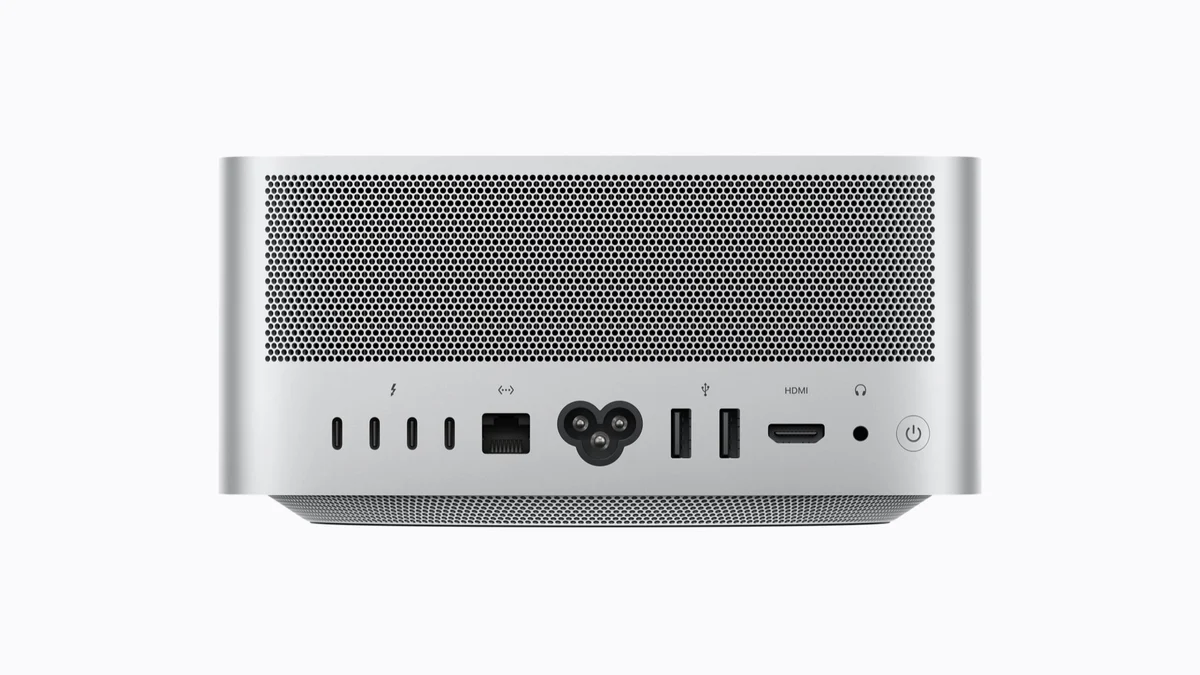
Two desktop computers, one AI model. That is the setup behind Meta's Muse Spark Open on Mac Studio , and the reason for the second machine is worth understanding before getting carried away with the idea of a very large model on your desk. The model needs somewhere to live.
Meta’s release announcement , dated October 15, describes a model built for coding, tool use and tasks with multiple steps. Apple has documented a way to run it locally with MLX, its machine-learning framework. Together, the release and implementation offer a concrete configuration to investigate, with a substantial memory requirement attached.
The active part is only part of the model
Muse Spark Open has 816 billion total parameters, with 42 billion active per token. It accepts text, images, video and audio, produces text and advertises a one-million-token context window. The two parameter counts explain both the opportunity and the hardware challenge.
A mixture-of-experts model selects part of its network for each token. That reduces the computation needed at each step. The remaining parameters still need storage. A model can do a smaller amount of work on each token while occupying a much larger amount of memory.
Think of a reference collection in which only some volumes are opened for each question. Opening fewer volumes saves reading, but the shelves still have to hold the collection. It is an illustrative way to separate active computation from the capacity needed to keep the model available.
Apple’s MLX report puts the four-bit NVFP4 footprint at about 493GB before intermediate computation needs. Apple says Muse Spark Open does not fit on one Mac Studio. Its two-machine configuration uses M5 Ultra systems with 512GB of unified memory each, making room for weights and execution overhead.
The memory specification is doing real work in that sentence. A base Mac Studio is a different proposition from a machine configured with 512GB. The model's name and a matching Apple logo are not enough to establish a usable setup.
Sharing a model takes more than sharing requests
MLX can split the model's layers between computers through pipeline parallelism, or divide computation within layers through tensor parallelism. Both approaches require the machines to coordinate. Apple's described setup uses RDMA over Thunderbolt 5, with two cables between each connected pair.
That is a different arrangement from the request routing in our Personal AI Router explanation. A router sends work to machines that can already serve the chosen models. Here, several machines help hold and run one model.
Consider two hypothetical desktops that can each run a smaller model independently. Sending separate document summaries to each might increase capacity. Now choose a model neither machine can hold alone. Sending it more requests will not fix the shortage. The runtime has to partition the model itself, and the connection has to support the resulting communication.
This is the useful question behind the hardware photograph: what is being shared? Independent jobs, model layers and within-layer calculations put different demands on the software and interconnect. Buying a second machine only helps if the proposed deployment can use it in the way the workload requires.
A speed result comes with a workload attached
Apple reports 24.99 generated tokens per second with two M5 Ultra machines using tensor parallelism, increasing to 36.73 across four. Those results use 8,192 tokens of context and 128 generated tokens. They describe that configuration and test, rather than every coding session or the full advertised context window.
For a team weighing a local deployment, output speed is one part of the decision. How long does input processing take? Does the model finish the actual task correctly? How much checking or repair follows? A quick stream of text can still leave a slow job if a developer has to untangle the result.
MacRumors and 9to5Mac explain the launch through Meta's announcement. Their coverage supplies context for the collaboration. Apple's technical account supplies the measured comparison, with its hardware and workload kept in view.
Get the software picture before the shopping list
Meta's official Hugging Face collection lists BF16 and NVFP4 releases. The model card sets out architecture, access conditions, limitations and the Muse Model License. Access to model files involves signing in and reviewing the stated conditions.
For the Mac path, pair the MLX LM project with Apple's distributed-inference instructions. Weights, runtime, memory, cables and the application calling the model all have to fit the same plan. Getting a download onto disk does not complete that work.
Meta’s developer guide lists hosted inference partners and other runtimes too. Hosted access gives a team a way to evaluate the model before assembling this particular workstation arrangement. It also places inference with the chosen provider, a different operating decision from running weights on your own equipment.
The release is open weight under the Muse Model License, with conditions and limited commercial terms. Check those terms for the intended use. Downloadable weights alone do not establish an unrestricted open-source release.
Apple's Mac Studio announcement scheduled the 512GB configuration for late October. The Apple Store on Amazon provides broader hardware context, but a listed Mac still needs the exact chip, memory and availability checks for this setup.
Before choosing the machines, write down a task the model should complete and how you will judge the result. That turns an impressive memory configuration into a testable proposal. The two Macs have solved the model's space problem. Whether they solve your team's work problem is the next question.