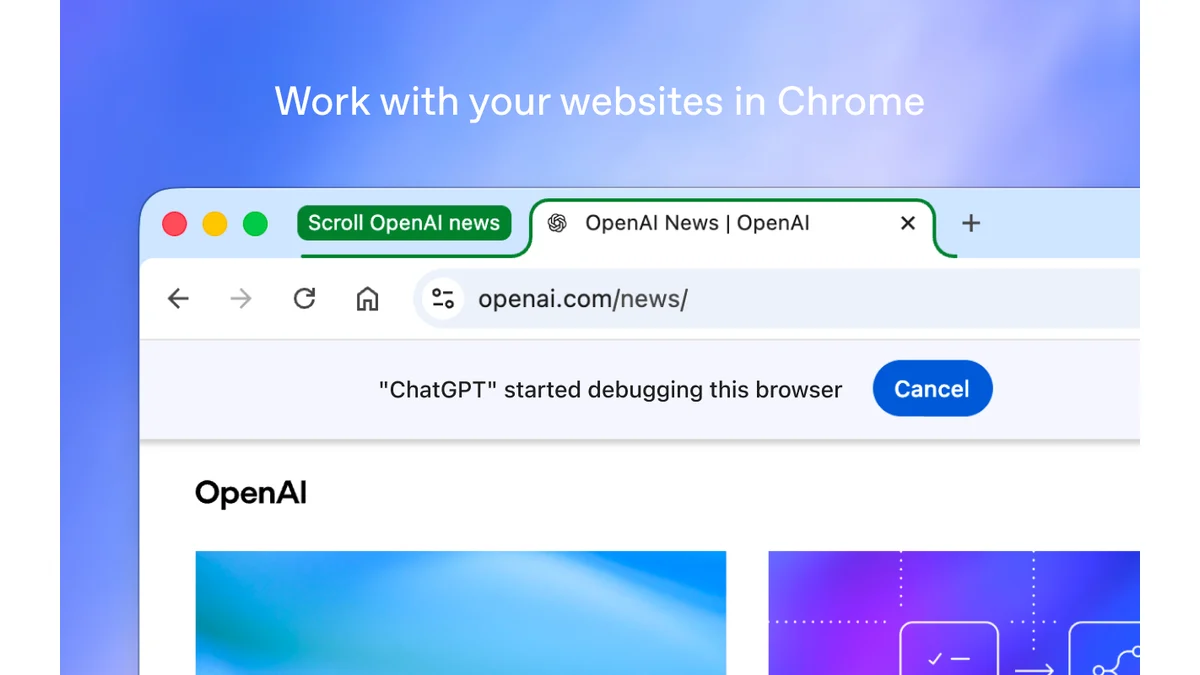
OpenAI is expanding what ChatGPT can do inside Google Chrome. The updated extension can bring information from open tabs into a conversation and support browser tasks through ChatGPT Work, including filling forms and organizing tabs. The useful distinction is between asking a question about a page and authorizing changes to it.
The October 15 announcement moves more of the assistant's work into the browser people already use. Unite.AI's account of the update describes both cross-tab questions and actions inside existing signed-in sessions. For someone comparing several documents or preparing a registration, the immediate benefit is continuity: the relevant pages can remain open while the conversation develops alongside them.
Chat gathers context, Work carries out tasks
In Chat, a useful request might compare the delivery conditions on three open product pages. The assistant needs to read the pages, identify the relevant passages and explain the differences. It can answer without placing an order or changing an account.
Work adds the ability to interact with those pages. PiunikaWeb's reporting describes form filling, downloads, messages and tab organization among the announced uses. These are different kinds of delegation. Preparing a form changes fields on a page. Submitting it can create a registration, transmit information or start another process.
That difference should shape the instruction. A practical request identifies the intended result, the pages that matter and the point where review is needed. In an illustrative event-planning workflow, ask it to compare the requirements in two open pages, prepare the registration for the selected event, and leave the completed form available for inspection before submission.
The same structure works for research. Ask for a comparison with a source link beside each entry, then review the source pages before turning that comparison into a decision. A neatly formatted answer is easier to check when its supporting evidence remains visible.
The side panel keeps the conversation beside the page
The browser panel also changes how context enters a conversation. Techlantis's coverage describes tab mentions, highlighted passages and the right-click Ask ChatGPT action. These provide more precise starting points than copying an entire page into a message.
An unfamiliar paragraph can become the focus of a question while the rest of its page remains available for reference. Several tabs can supply different parts of the same assignment. A conversation begun in side chat is available in the ChatGPT app, allowing the work to continue across those surfaces.
OpenAI also documents questions about YouTube videos when a timestamped transcript is available. That is a text-based route into the video's content. The availability and quality of captions determine what information that route provides.
The broader category is a browser extension , software that adds capabilities to the browser. Here, that extra capability connects page context with an assistant and, for supported tasks, browser control. Installing it does not establish that every site or task will work equally well.
Set up the official extension
Start with Google's official Chrome download if the browser is not already installed. The ChatGPT extension listing identifies OpenAI as its provider. That identity matters because similarly named third-party extensions are separate products with their own permissions and data practices.
OpenAI's setup instructions run through Settings, then Computer Use, in the updated desktop app. Install the extension for the browser profile you actually use, return to the app and check that the browser has a Manage control. Browser tasks can then start by selecting the browser with an @-mention in a supported Work or Codex chat.
The extension and access to Work are separate availability questions. PiunikaWeb reports that Work requires at least a Plus subscription. Check the features available in the signed-in account and workspace before planning around automation. An extension being available to install does not establish access to every task mode.
Permissions are part of the workflow
OpenAI documents website access choices that include permission for a single interaction, a particular site or all sites. It also provides domain allowlists and blocklists. These controls let a user keep the scope of a browser assignment aligned with its purpose.
A useful review separates three questions: which page may the assistant read, which fields may it change, and which final action may it take? A request to explain an account page supplies a different scope from a request to send a message from that account. Keeping the intended action explicit makes the resulting work easier to inspect.
Browser context can become part of the ChatGPT conversation. OpenAI says it stores activity when it enters that context, such as page text, screenshots, tool calls or summaries, rather than maintaining a separate complete record of every browser action. The relevant ChatGPT data controls therefore remain part of the decision to use the feature.
For a structured introduction to working with the assistant, Pam Baker's ChatGPT For Dummies, second edition provides broader background. It predates this Chrome update, so current setup and permission details belong to the live documentation.
The practical opportunity is to connect reading with action while preserving a clear review point. Begin with a bounded task whose result is easy to inspect, keep the supporting pages available, and judge completion by the actual page state. That is a more useful measure of browser assistance than the number of tabs an agent can open.